How to Make Folders in the Photos App on Your iPhone & iPad

With 10-plus years of experience with Apple devices, Rachel specializes in all things iPad and is a Notes app expert. Find her writing in the Daily Tip newsletter and iPhone Life magazine.
Learn More With 10-plus years of experience with Apple devices, Rachel specializes in all things iPad and is a Notes app expert. Find her writing in the Daily Tip newsletter and iPhone Life magazine.
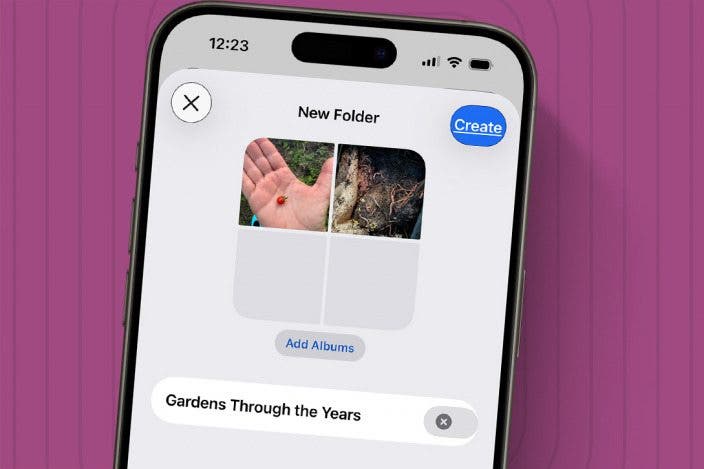
Learn MoreKeeping the Photos app organized can be difficult. You can organize your photos into albums, and your albums into folders to keep your app organized by whatever themes you like. However, if you have a lot of photos already sorted into albums, it can be a pain to try to add each photo into a folder individually. Luckily, there's a way to add existing albums to folders. Here's how!
Why You'll Love This Tip
- Photo folders can now be found with albums in Collections. This change started with iOS 18.
- Learn to organize your pictures and perfect your Photos app with folders.
How to Add Existing Albums to a Folder in Photos
System Requirements
This tip was performed on an iPhone 17 Pro running iOS 26.5, and it works on iOS 18 and later. Learn how to update to the latest iOS.
Once you've learned how to make folders for photo albums in the Photos app, you may wonder how to add existing albums to folders. If you already have albums that you'd like to organize within folders in the Photos app on iPhone, the process is simple, but you have to go about it in a slightly different way. You just need to create the folder first.
- Open the Photos app.
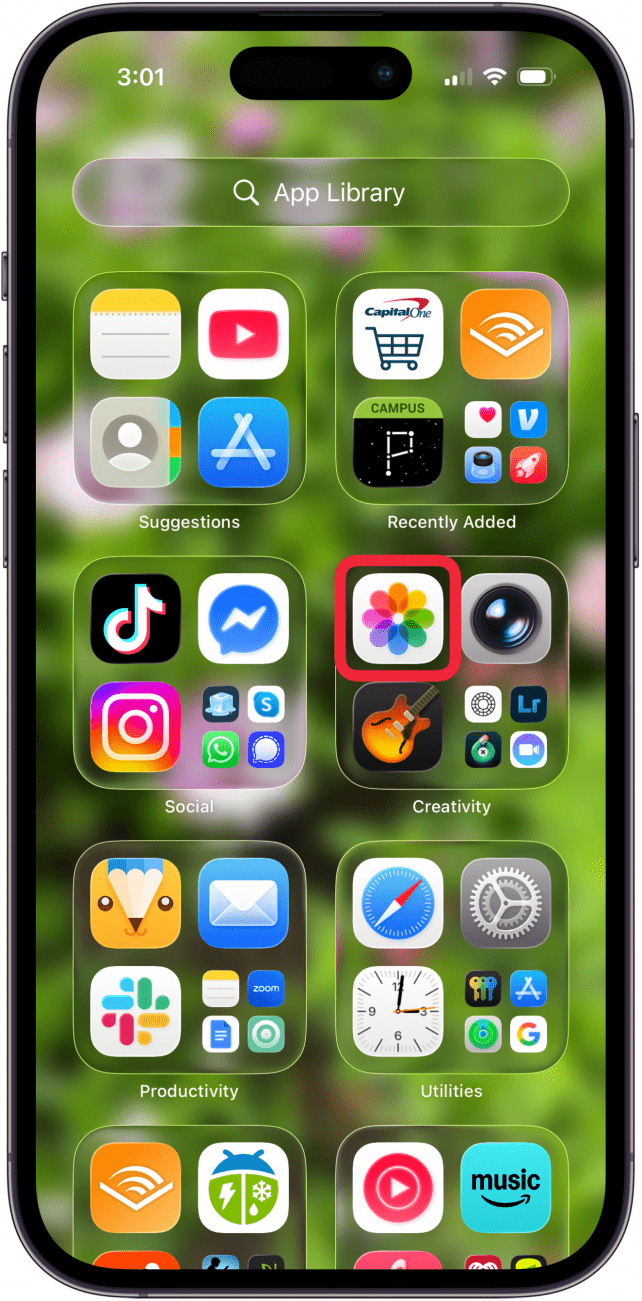
- Tap Collections.
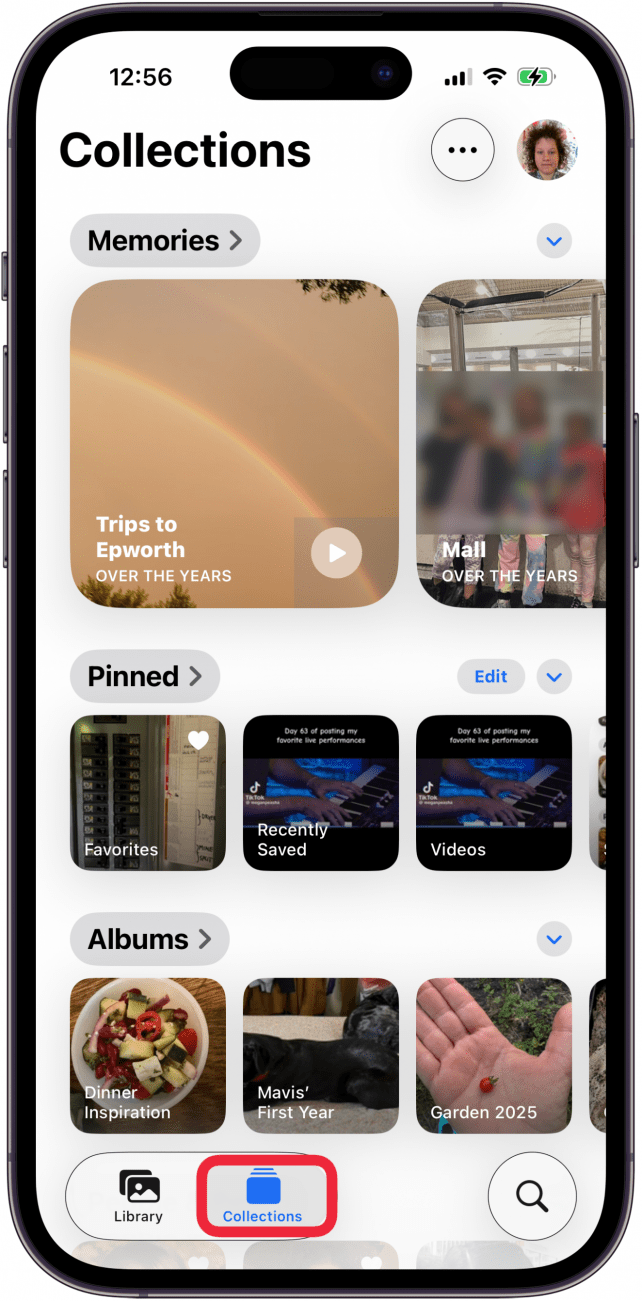
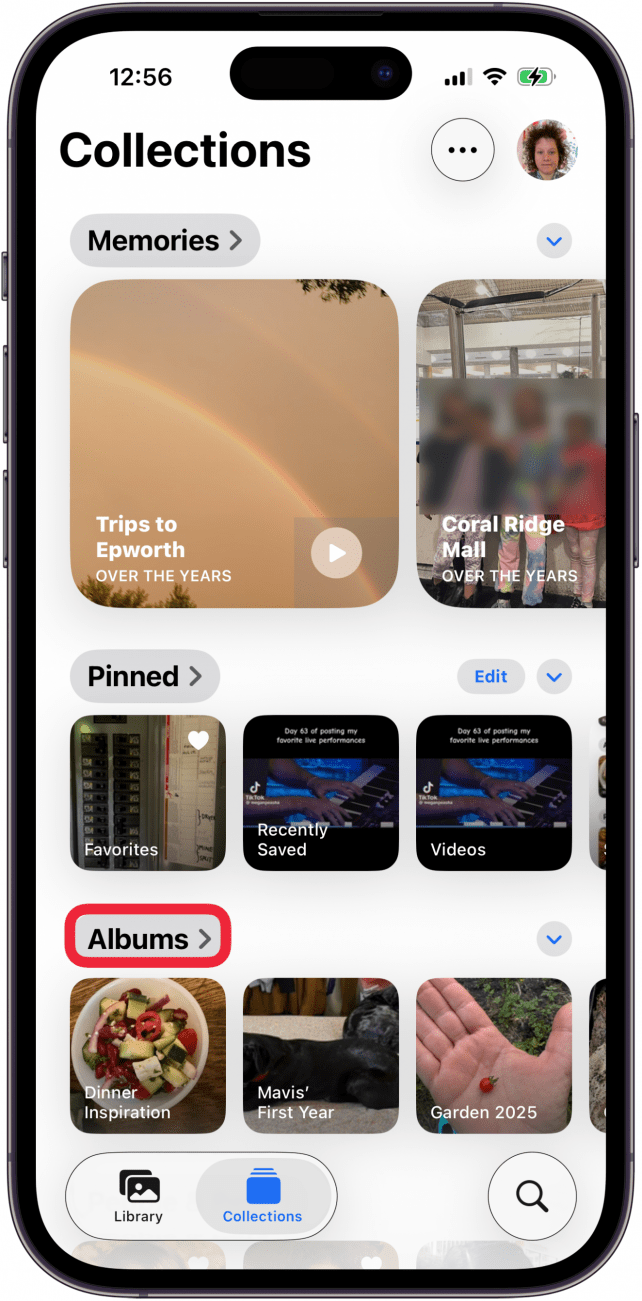
- Tap Albums.
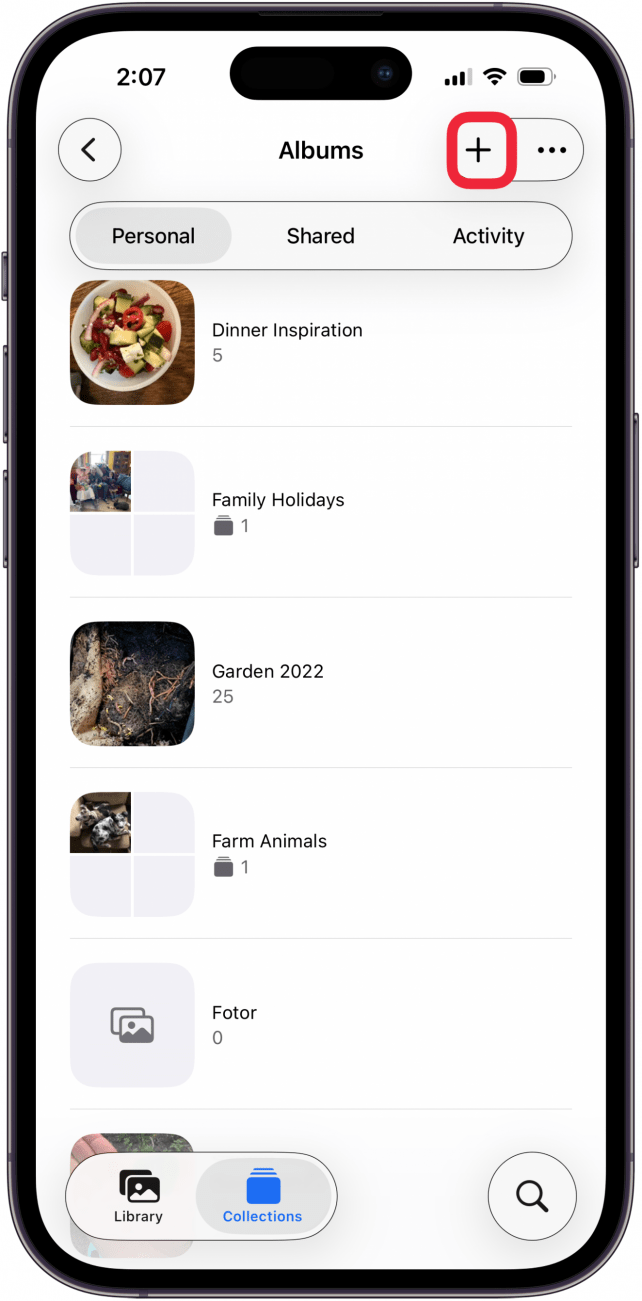
- Tap the Plus icon.
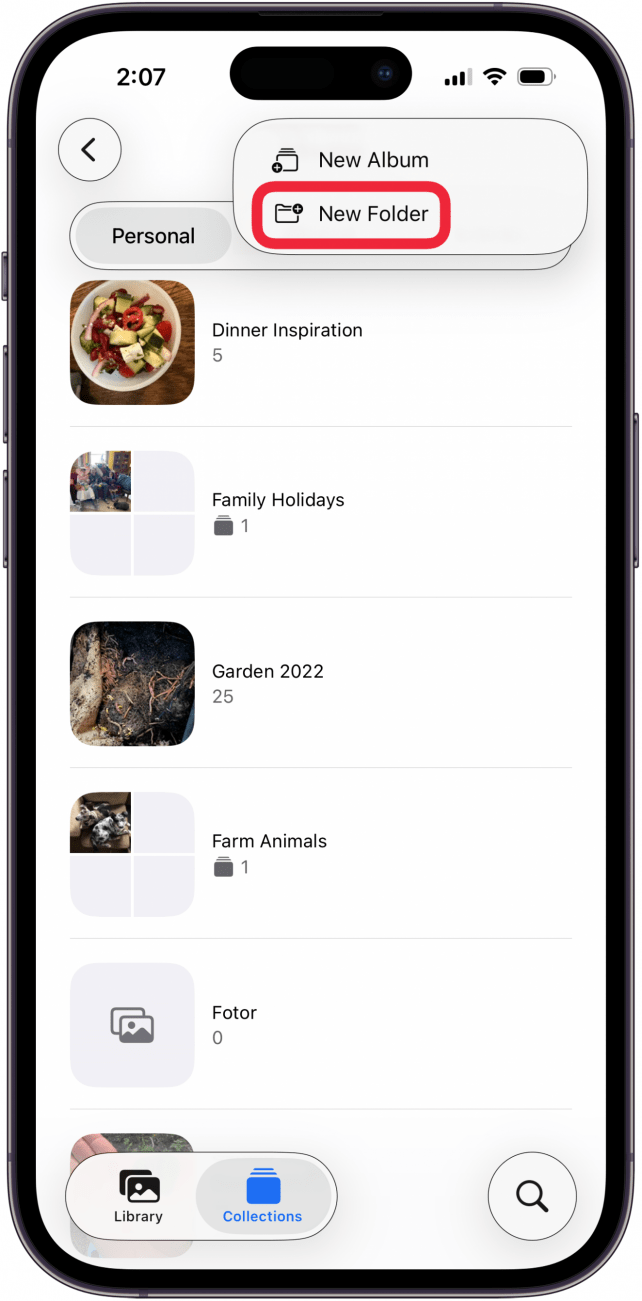
- Tap New Folder.
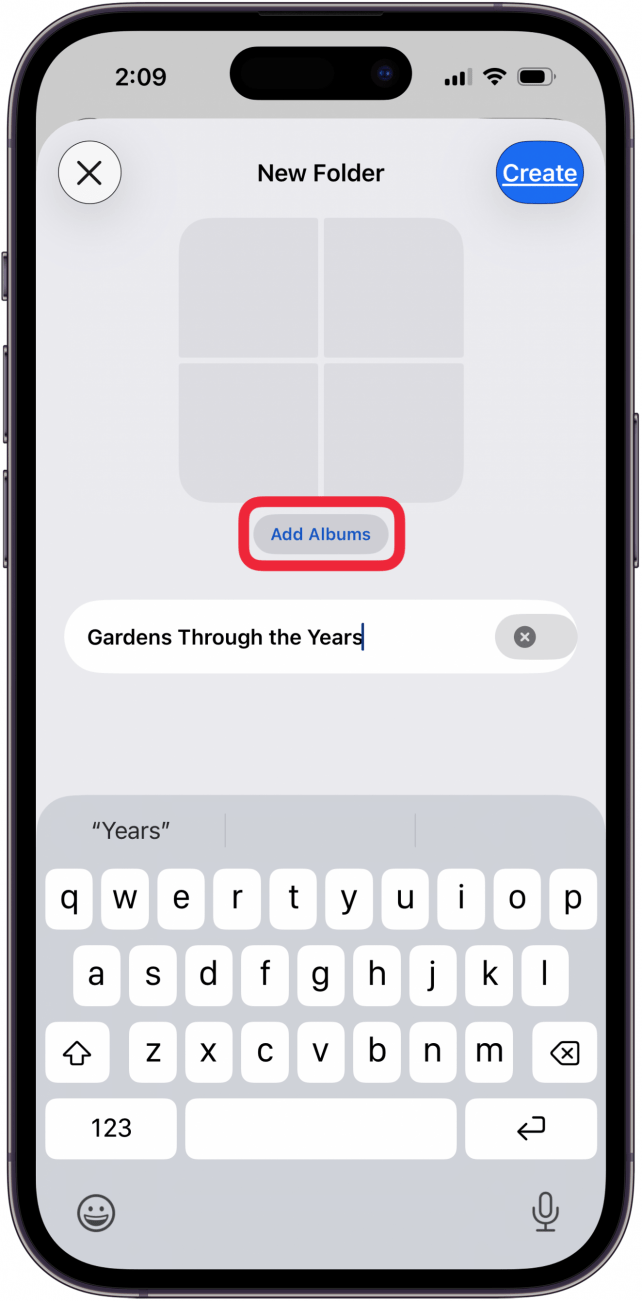
- Name the folder, then tap Add Albums.
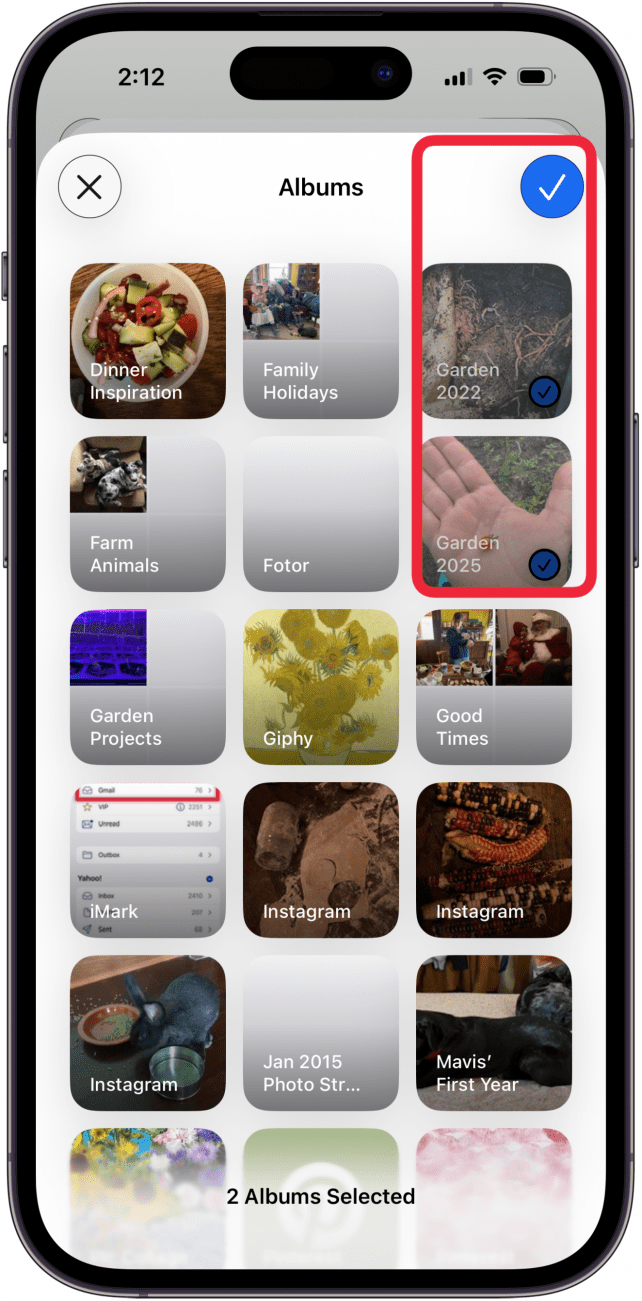
- Tap the album(s) you want to add to the folder, then tap the check mark.
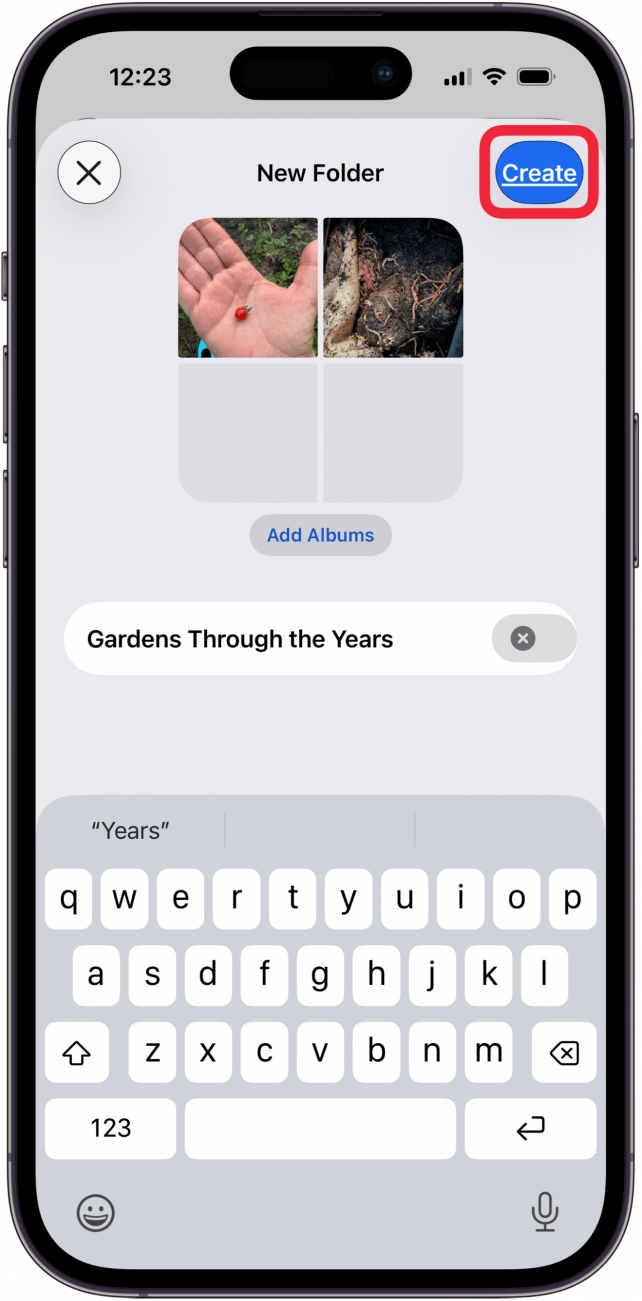
- Tap Create.
Note: If you change your mind and want to remove an album from a folder, just tap the folder, touch and hold the album, then tap Remove from Folder. Do NOT delete the folder if you want to keep the albums, as this will delete all albums inside the folder. I did this, then could not find the albums in Recently Deleted, and had to restore my iPhone from a backup made before I deleted the folder.
And that's the trick to adding existing albums to a new folder. If you like learning about your iPhone, be sure to sign up for our free Tip of the Day!
More On: Photo Organization

Every day, we send useful tips with screenshots and step-by-step instructions to over 600,000 subscribers for free. You'll be surprised what your Apple devices can really do.

 Rachel Needell
 Hal Goldstein
 Rhett Intriago


 Leanne Hays

 Olena Kagui

 Amy Spitzfaden Both